
Boardwise by Zonkware
A job board that stays fast and plays by the rules
Boardwise turns WordPress into a job board with search by distance, job alerts, an employer dashboard and paid listings. It stays fast with tens of thousands of jobs, checks listings against pay-transparency laws, and works with any theme.
Free on wordpress.org. Requires WordPress 6.6+ and PHP 8.1+.
Who it's for
One plugin, three kinds of job board
Niche job boards
A board for one trade, town or community. Employers sign up and post, job seekers search and set up alerts, and you moderate what goes live.
Paid-listing marketplaces
Charge per job through your own Stripe account, with a "featured" upgrade. Pro adds packages, subscriptions, coupons and PayPal.
Company careers pages
Switch the board to careers-page mode for a single company. Candidates apply on your site, and your team works through applications in one place.
What you get, free
The parts other job board plugins sell as add-ons
Search with filters
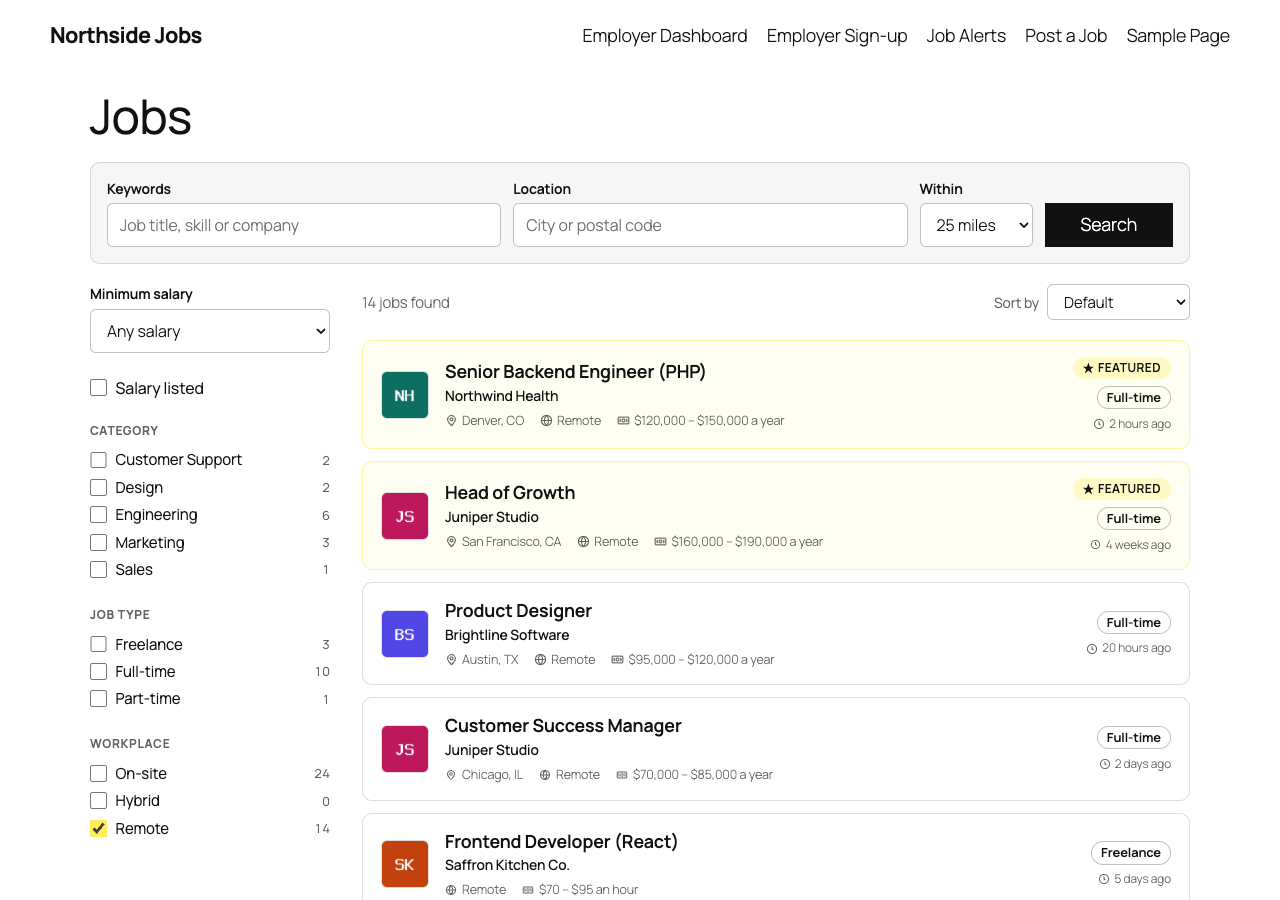
Keyword, location and radius search, with filters for category, job type, workplace and minimum salary, counts beside each one, and a shareable link for every search.
Applications on your site
Candidates apply with a resume, which is kept in a private folder. Employers move each application through a status pipeline and add notes.
Job alerts
Any search or category can become an email alert: daily or weekly digests, with double opt-in and one-click unsubscribe.
An employer dashboard
Employers post jobs in four steps with a preview, see views and applications for each job, and edit, duplicate or mark jobs filled.
Google for Jobs
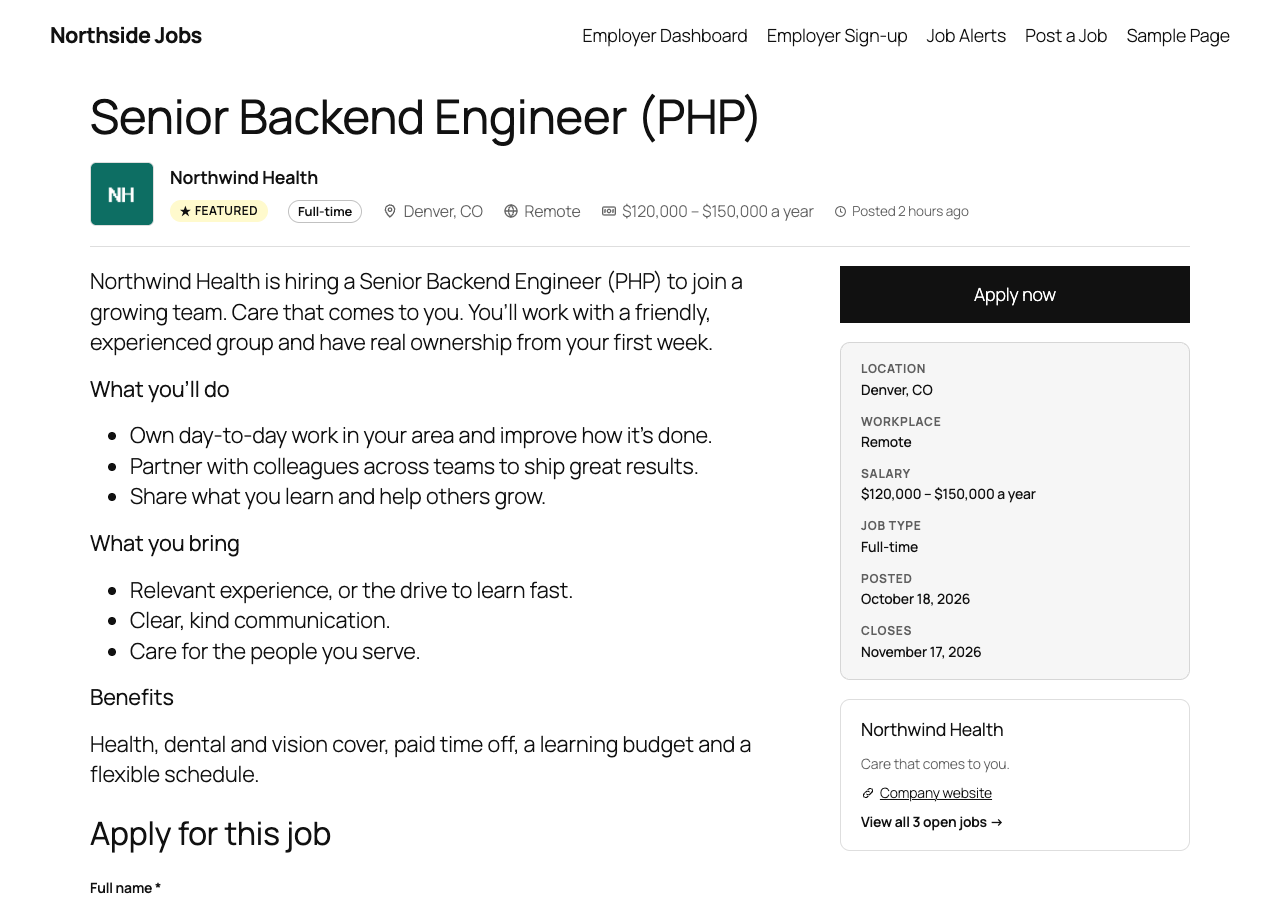
Every job carries Google's job-posting data, the board has a jobs sitemap, and expired jobs keep their page with a notice instead of disappearing.
Fast with big boards
Tested with 50,000 jobs: nearly every page answered in under 200 milliseconds. Search runs on its own index, not on slow WordPress meta queries.
Compliance built in
Listings that follow the law
Pay-transparency laws in US states and cities say which jobs must show a salary range. Boardwise checks each listing against them, as a warning or as a rule employers must meet before the job is published. The moderation queue also flags gendered job titles and questions about salary history.
Applicants' data is covered too: consent records, WordPress's export and erase tools, automatic deletion after the period you choose, and optional EEO self-identification reported only as totals.
Moving from WP Job Manager
Bring your jobs and your employers across
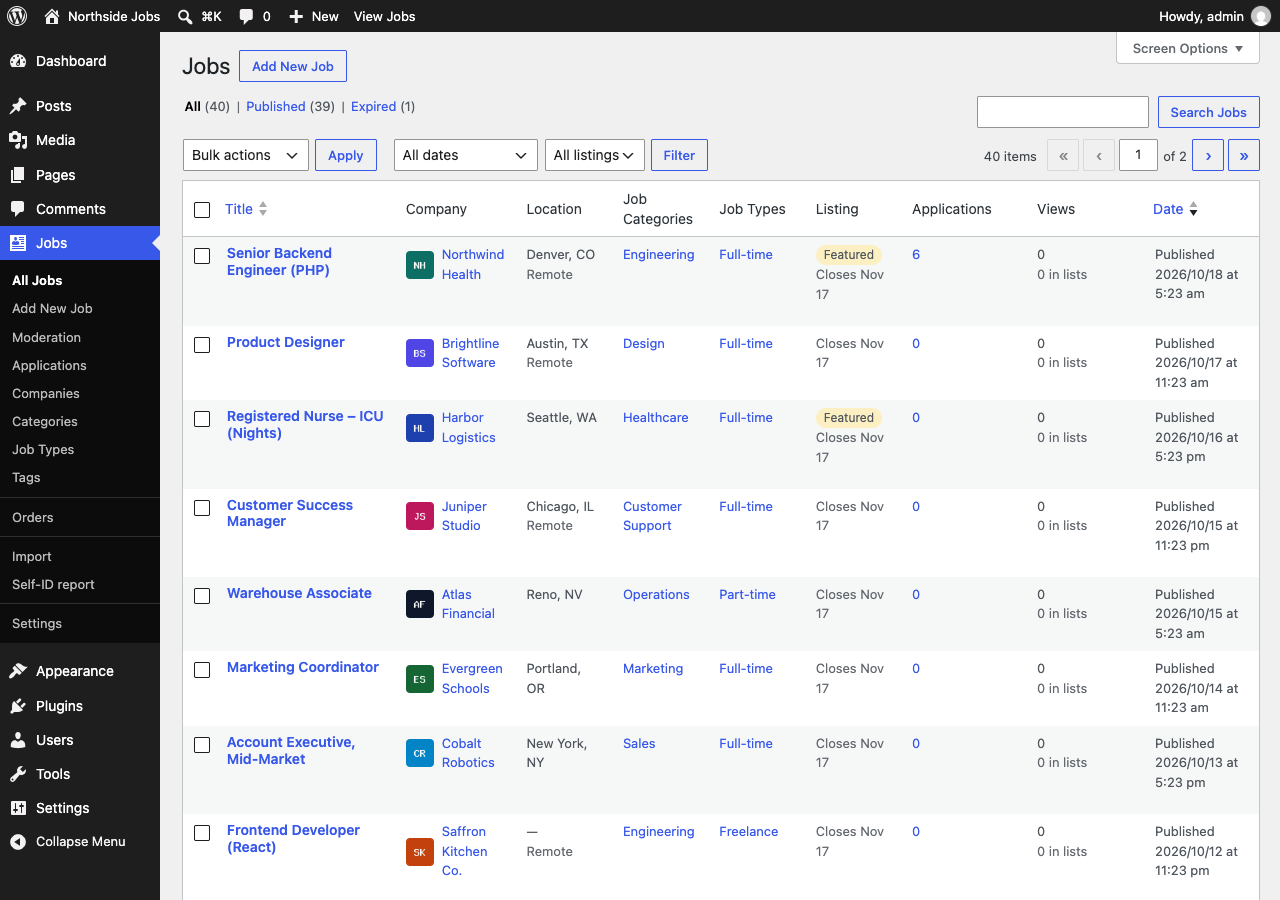
Boardwise imports WP Job Manager listings with a dry run first: jobs, categories, types, tags, salaries, company logos and taglines, expiry dates and the featured and filled flags. The employers who posted them can manage their jobs from the new dashboard, and old job links redirect.
Boardwise Pro
The tools job board platforms rent by the month
Pro adds what hosted job board platforms charge monthly for: packages and subscriptions, an applicant tracking pipeline for hiring teams, candidate profiles and a resume database, job feeds, search-engine indexing, and AI tools that use your own OpenAI or Anthropic key.
Payments go to your own Stripe or PayPal account. Boardwise takes no share of them.
Free or Pro?
| You need | Free | Pro |
|---|---|---|
| Search, filters and radius search | ✓ | ✓ |
| Applications, employer dashboard, job alerts | ✓ | ✓ |
| Paid listings with Stripe | ✓ | ✓ |
| Imports and a Greenhouse feed | ✓ | ✓ |
| Packages, subscriptions, coupons, PayPal | – | ✓ |
| Hiring pipeline, teams and ratings | – | ✓ |
| Candidate profiles and resume database | – | ✓ |
| Lever, Ashby, USAJOBS and JSON feeds | – | ✓ |
| Google Indexing API and IndexNow | – | ✓ |
| AI tools with your own key | – | ✓ |
Start with the free plugin
Activate Boardwise and click "Create pages". It adds the Post a Job, employer dashboard, employer sign-up and job alerts pages, and your jobs are listed at /jobs/. If you need packages, a hiring pipeline or a resume database later, Pro adds them without moving your data.